 YerMeds
How It Works
Getting started with YerMeds takes less than a minute. Here's how to set up your medications and start tracking.
-
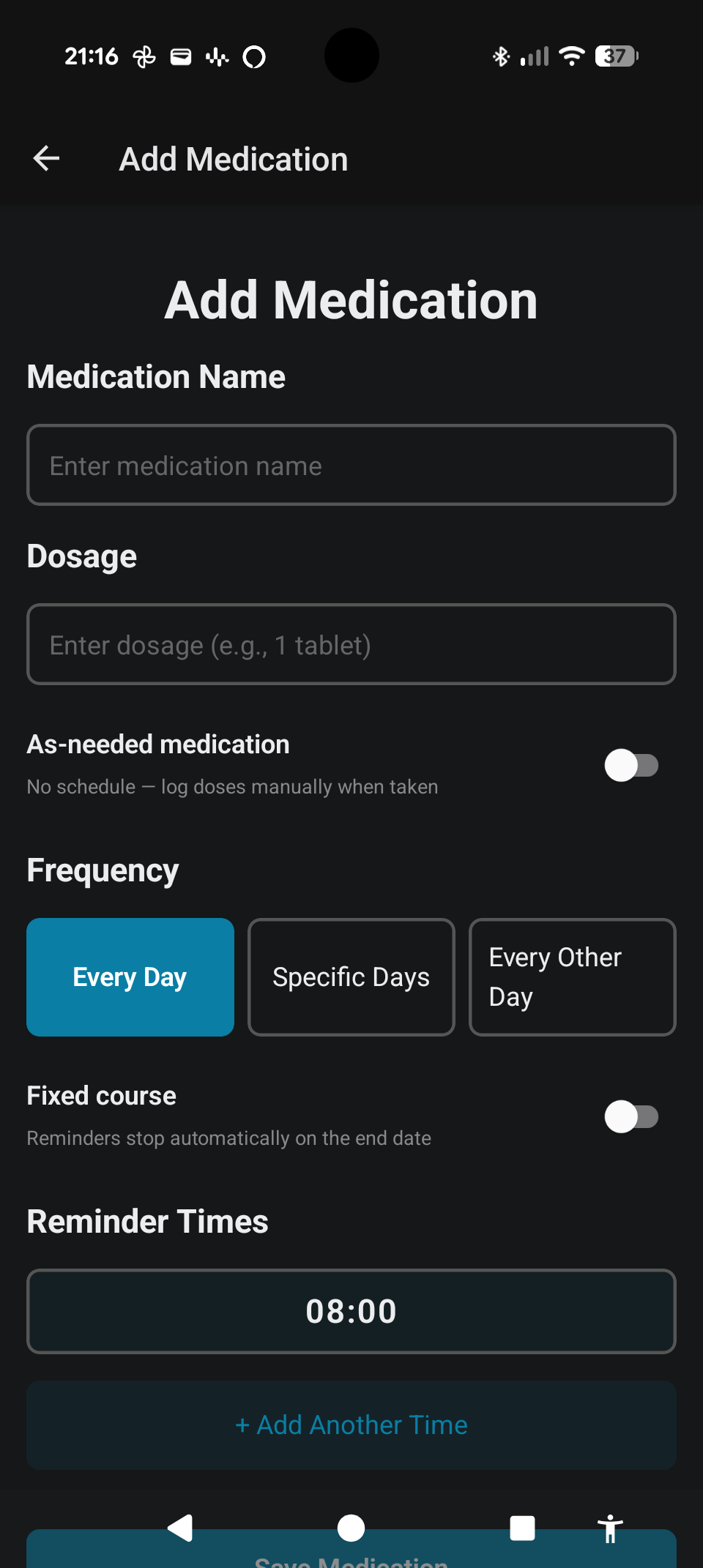
Add your medications
Tap the add button and enter your medication's name. Choose how often you take it — every day, on specific days of the week, every other day, or only when you need it.
-
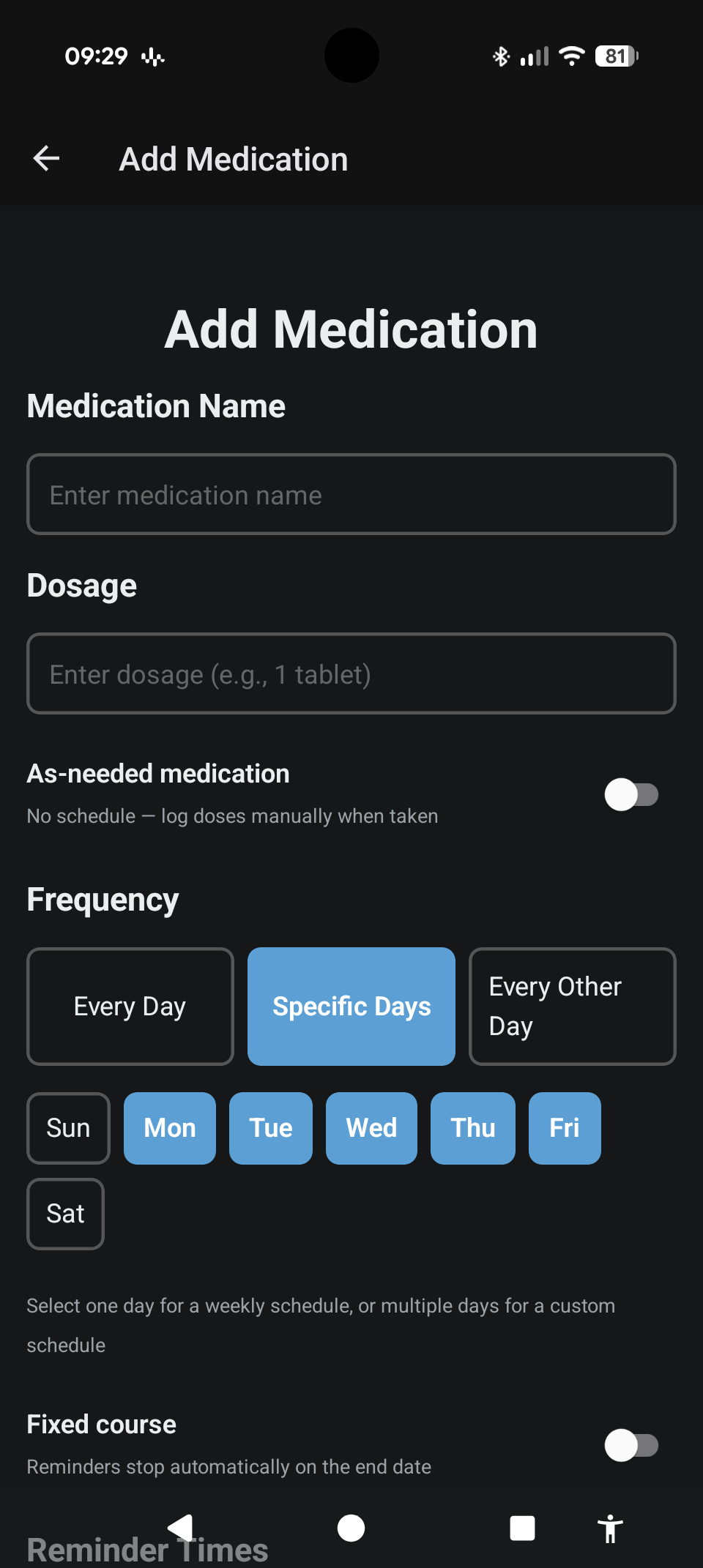
Choose the right schedule
Whether you take something every Monday and Thursday, every second day, or only on demand — YerMeds handles it. Set it once and it remembers.
-
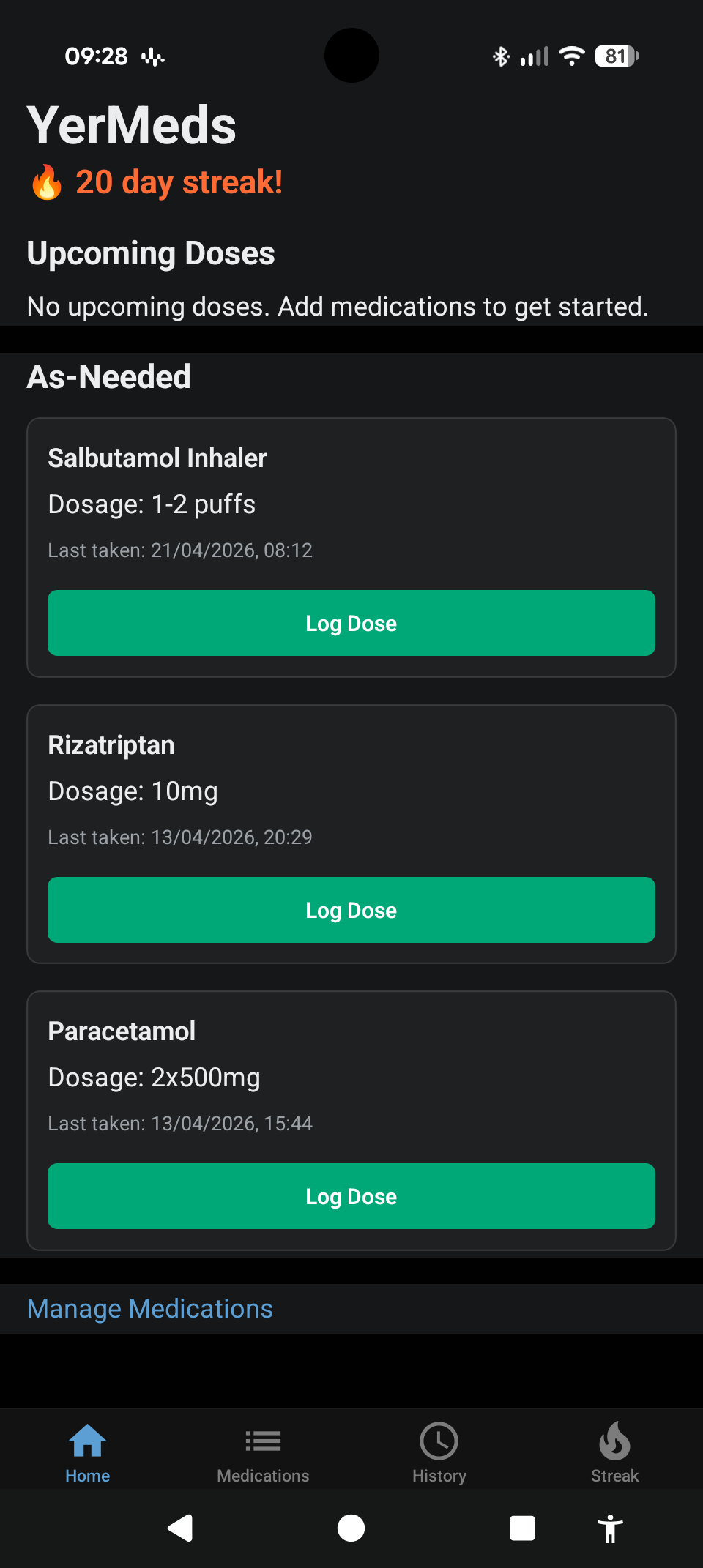
Mark doses as taken
Each day, your home screen shows what's due. Tap to mark a dose as taken. On-demand medications are always one tap away, even when nothing is scheduled.
-
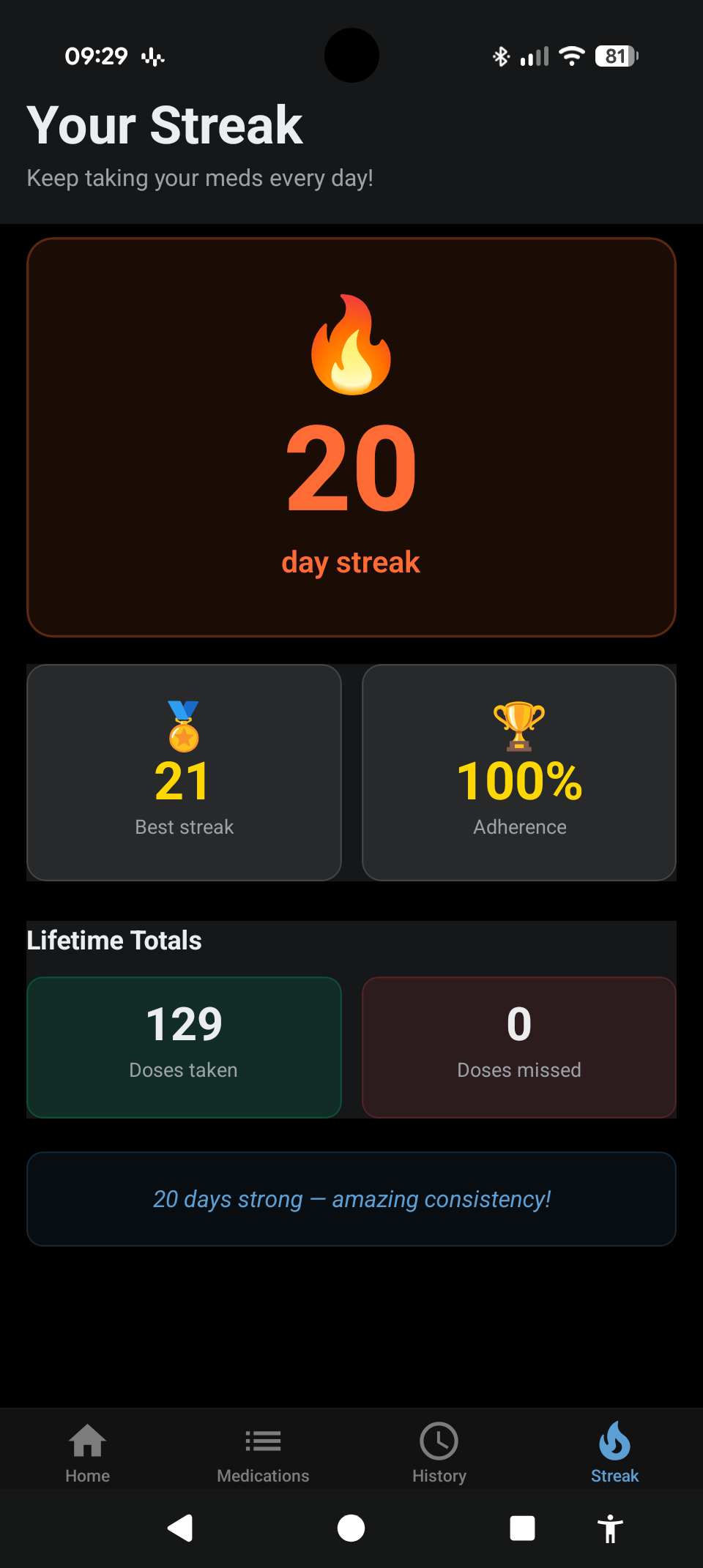
Build your streak
Stay consistent and watch your streak grow. YerMeds tracks how many days in a row you've kept up with your medications — a simple way to build a lasting habit.
Ready to get started?
Download YerMeds for free on Android and take the first step toward a more consistent medication routine.
Download on Google PlayJoin our closed testing programme
YerMeds is now open for Android testers. Here's how to get involved:
- Join the Google Group — groups.google.com/g/yermeds-app-testing
- Opt in to testing — play.google.com/apps/testing/com.smunn7.YerMeds
- Download the app — play.google.com/store/apps/details?id=com.smunn7.YerMeds